In the modern world, data is the currency of business. Whether you are running a high-end boutique in Dallas, a massive logistics hub in Fort Worth, or a home office in Plano, your network is the foundation of everything you do.
At ClearZone Security, we get asked one question more than any other: “Which cable should I use?” With so many options like Cat5e, Cat6, and Cat6a, it can feel overwhelming. This 2,000-word guide will break down everything you need to know to make the best decision for your property.
1. Cat5e vs. Cat6: Which Is Better?
If you are looking at an older building in North Texas, you likely have Cat5e wiring. For years, Cat5e was the gold standard. But as we move into 2026, the question of Cat5e vs. Cat6: Which is better? has a very clear answer.
The Speed Gap
Cat5e (the “e” stands for enhanced) was designed to handle speeds up to 1 Gigabit per second. While that sounds fast, it struggles with “crosstalk” which is electrical interference between the wires.
Cat6 is a major leap forward. It is designed to handle up to 10 Gigabits per second at shorter distances. Even at long distances, Cat6 is much more stable. If you are choosing the best cable for network installation today, Cat6 should be your absolute minimum starting point.
The Construction Difference
Cat6 cables have a “spline”—a plastic divider inside the cable that keeps the wire pairs separated. This physical barrier reduces interference, making your internet much more reliable. When comparing Cat5e vs. Cat6, Cat6 wins every time for modern performance.
2. Cat6 vs. Cat6a: What’s the Difference?
Once you decide to move past Cat5e, you face the next big choice: Cat6 vs. Cat6a: What’s the difference?
- Cat6: Great for homes and small offices. It handles 10Gbps speeds up to about 165 feet.
- Cat6a: The “a” stands for Augmented. This cable is a beast. It handles 10Gbps speeds for the full length of the cable (328 feet).
The biggest difference is the shielding. Cat6a is much thicker and is specifically designed for Cat6a installation for businesses. It is built to block out “Alien Crosstalk,” which happens when you have hundreds of cables running together in a ceiling.
3. Cat6 Cable Installation Guide: Doing It Right
A cable is only as good as the person installing it. This Cat6 cable installation guide explains the ClearZone “Standard of Excellence.”
Step 1: Planning the “Drops”
We identify exactly where your devices will be. We ensure that no cable run is longer than 100 meters, as data starts to “leak” or slow down after that distance.
Step 2: The Pull
During a Cat6 cable installation, we are careful not to pull the wire too hard. If you stretch a Cat6 cable, you ruin the twists inside, and the cable will fail its speed test.
Step 3: Termination
We use high-quality RJ45 jacks and patch panels. We ensure the “untwist” at the end of the wire is as short as possible to prevent data errors.
4. Cat6a Installation for Businesses
For the corporate world, we almost always recommend Cat6a installation for businesses. Why? Because businesses change. Today you might just be sending emails, but tomorrow you might be running AI-driven software or 8K video conferencing.
Cat6a is the most future-proof copper cable available. When we perform Cat6a installation for businesses in Dallas, we focus on high-density environments where performance cannot fail.
5. Structured Cabling with Cat6
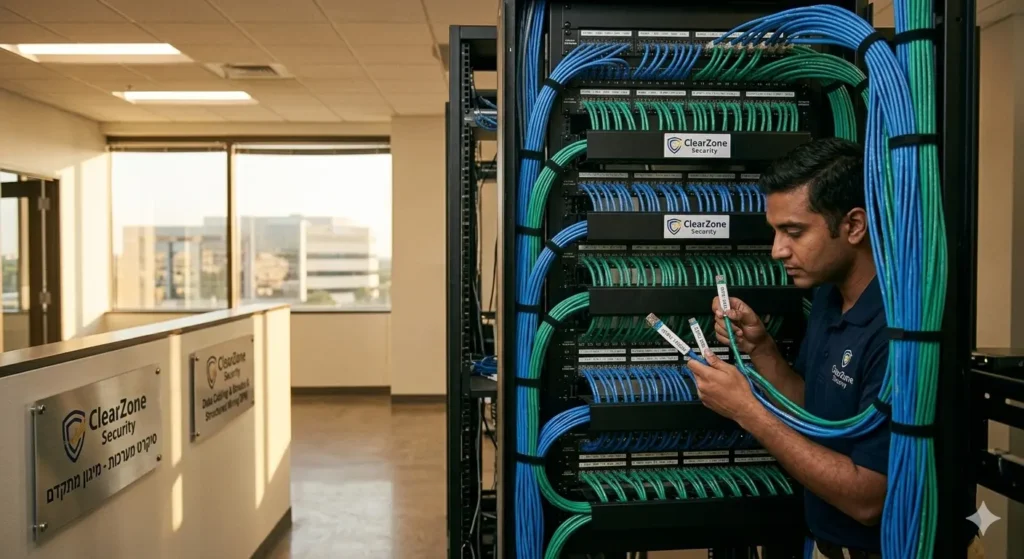
You don’t want a “web” of wires; you want structured cabling with Cat6. This means every wire is organized, labeled, and color-coded.
Structured cabling with Cat6 turns your server room into a professional data center. It makes it easy for any IT person to see exactly where every wire goes, saving you thousands of dollars in troubleshooting costs over the years.
6. Where We Use Cat6 Cabling: Dallas Market Focus
At ClearZone Security, we tailor our installations to the specific needs of the building.
Cat6 Cabling for Offices
In a professional office, we focus on “desk density.” Cat6 cabling for offices ensures that every employee has a dedicated, lightning-fast connection for VoIP phones and cloud-based software.
Cat6 Cabling for Warehouses
Warehouses in the DFW area have unique challenges. They have long distances and lots of metal interference. Cat6 cabling for warehouses requires high-reach lifts and specialized “J-hooks” to route data across massive floor plans to shipping stations and inventory scanners.
Cat6 Cabling for Retail Stores
In retail, your Point of Sale (POS) system is your lifeline. Cat6 cabling for retail stores provides a secure, hardwired connection for credit card machines and digital signage, ensuring you never miss a sale during a Wi-Fi outage.
7. Upgrading from Cat5e to Cat6
If your internet feels slow even though you pay for the “Fast Plan” from your provider, the problem is likely your old wiring. Upgrading from Cat5e to Cat6 is one of the best investments a property owner can make.
When upgrading from Cat5e to Cat6, we often use your old wires as “pull strings” to bring the new, high-speed Cat6 into your walls. This makes the process faster and cleaner. You will notice the difference in speed immediately.
8. Conclusion: Choosing the Best Cable for Network Installation
So, what is the best cable for network installation?
- For most homes: Cat6 is perfect.
- For most offices: Cat6 is great, but Cat6a is better for the long term.
- For warehouses and retail: Cat6a is the winner due to its resistance to interference.
At ClearZone Security, we are your local Dallas experts for all things data. We don’t just pull wire; we build the infrastructure that helps your business grow.
Ready to upgrade? Contact ClearZone Security today. Let’s get your DFW property wired for the future.